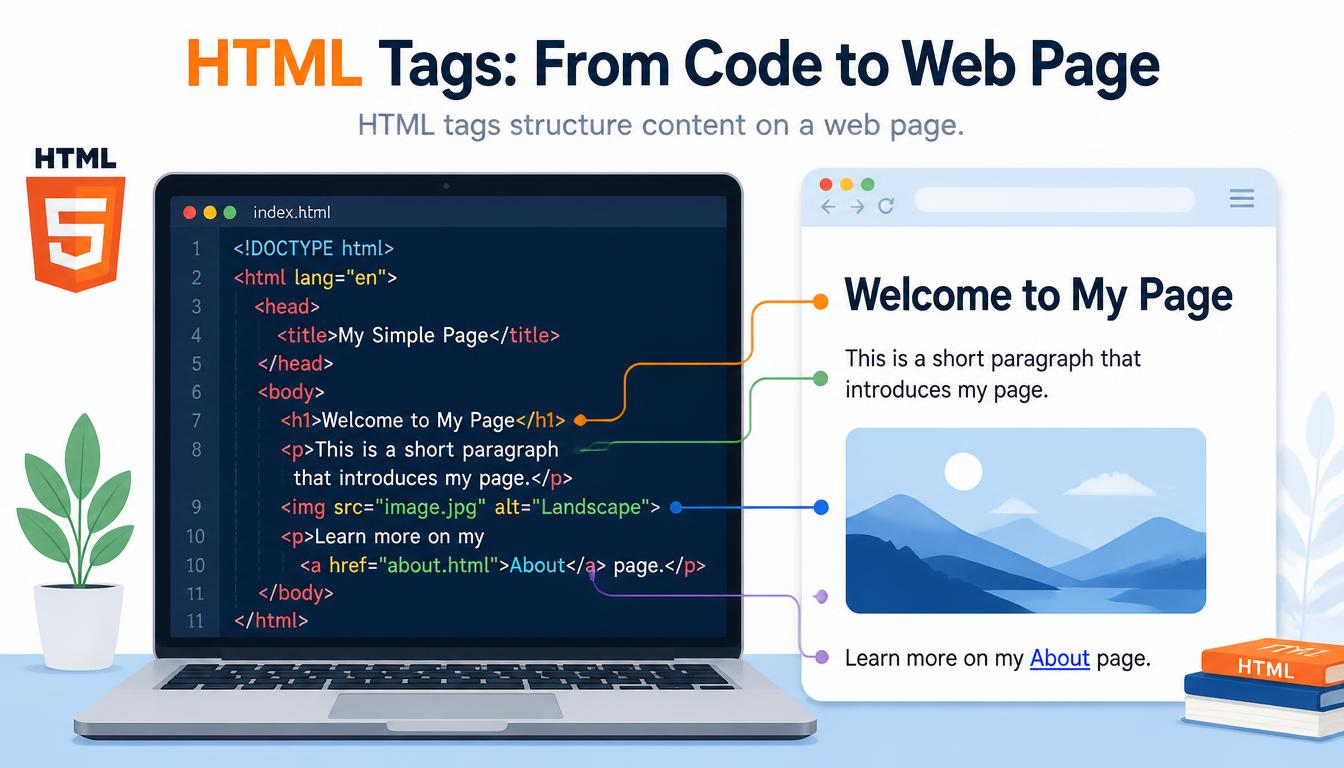
HTML tags are the instructions that give content on a web page its structure and meaning. They identify whether something is a heading, paragraph, link, image, list or another type of content.
Tags are one of the fundamental ideas behind Hypertext Markup Language. Once you understand how they work, even a page full of unfamiliar HTML begins to make considerably more sense.
What Are HTML Tags?
An HTML tag consists of an element name surrounded by angle brackets. For example, the tag for a paragraph is:
<p>The browser recognises this as HTML markup rather than ordinary text. It uses that information when constructing and displaying the page.
Most tags form part of a larger HTML element. For example:
<p>This is a paragraph.</p>Here, <p> is the opening tag, This is a paragraph. is the content and </p> is the closing tag. Together they form a paragraph element.
This distinction between tags and elements can initially seem unnecessarily technical. A useful way to remember it is that tags mark the boundaries, while the element is the complete package.
For a comprehensive list, the MDN HTML Elements Reference groups HTML elements according to their purpose.
Opening and Closing Tags in HTML
A closing tag normally repeats the name of the opening tag but adds a forward slash:
<h2>A Useful Heading</h2>
<p>A useful paragraph.</p>
Not every element works this way. Some, known as void elements, do not contain content and therefore have no closing tag. The <img> element used for images and <br> used for line breaks are common examples.
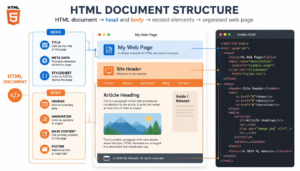
Understanding these basic rules makes the wider HTML document structure much easier to follow.
7 Common HTML Tags Beginners Should Know
You don’t need to memorise every HTML element before creating a web page. A small collection covers many everyday situations:
- <h1> — identifies the main heading.
- <p> — creates a paragraph.
- <a> — creates a hyperlink.
- <img> — embeds an image.
- <ul> — creates an unordered list.
- <li> — identifies an individual list item.
- <div> — provides a general-purpose container.
The TutorialsPoint HTML Basic Tags Guide provides additional beginner examples of commonly encountered tags.
As your knowledge develops, you’ll encounter elements such as <header>, <nav>, <main>, <article> and <footer>. These help describe the purpose of different parts of a page rather than merely dividing it into anonymous sections. You can explore that idea further in Semantic HTML.
How Tags Can Be Nested
HTML elements can sit inside other HTML elements. This is called nesting.
For example:
<p>Visit our <a href="page.html">HTML guide</a> to learn more.</p>The hyperlink element is nested inside the paragraph element.
Correct nesting creates a logical hierarchy that helps the browser understand the relationship between different pieces of content. Incorrectly nested tags can produce unexpected results, even though browsers are remarkably good at attempting to recover from imperfect HTML.
How Browsers Interpret HTML Markup
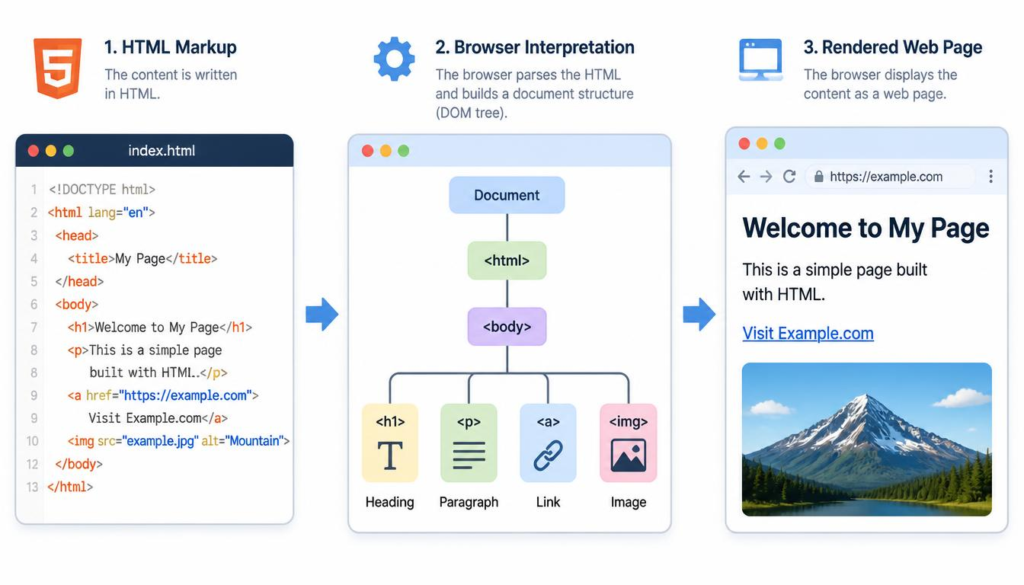
When you visit a web page, the browser receives its HTML and parses the markup to determine the page’s structure. It uses the elements to construct an internal representation of the document before rendering the content on screen.
That is why tags themselves normally aren’t visible to the visitor. You see the heading rather than <h1>, and a clickable link rather than the <a> markup that created it.
This process is explored in more detail in How Browsers Read HTML.
HTML is primarily concerned with structure and meaning. CSS usually controls how those elements look, while JavaScript can add behaviour and interactivity.
Once you understand that division of responsibilities, HTML tags become much less mysterious. They are simply labels that give a web page its organised structure — and learning a relatively small number of them provides an excellent foundation for understanding how the web works.
“A genie grants wishes; writing code makes you wish for wishes.”
Stephenism
🎵 Soul from the Solo Blogger — Tunes from Túrail.