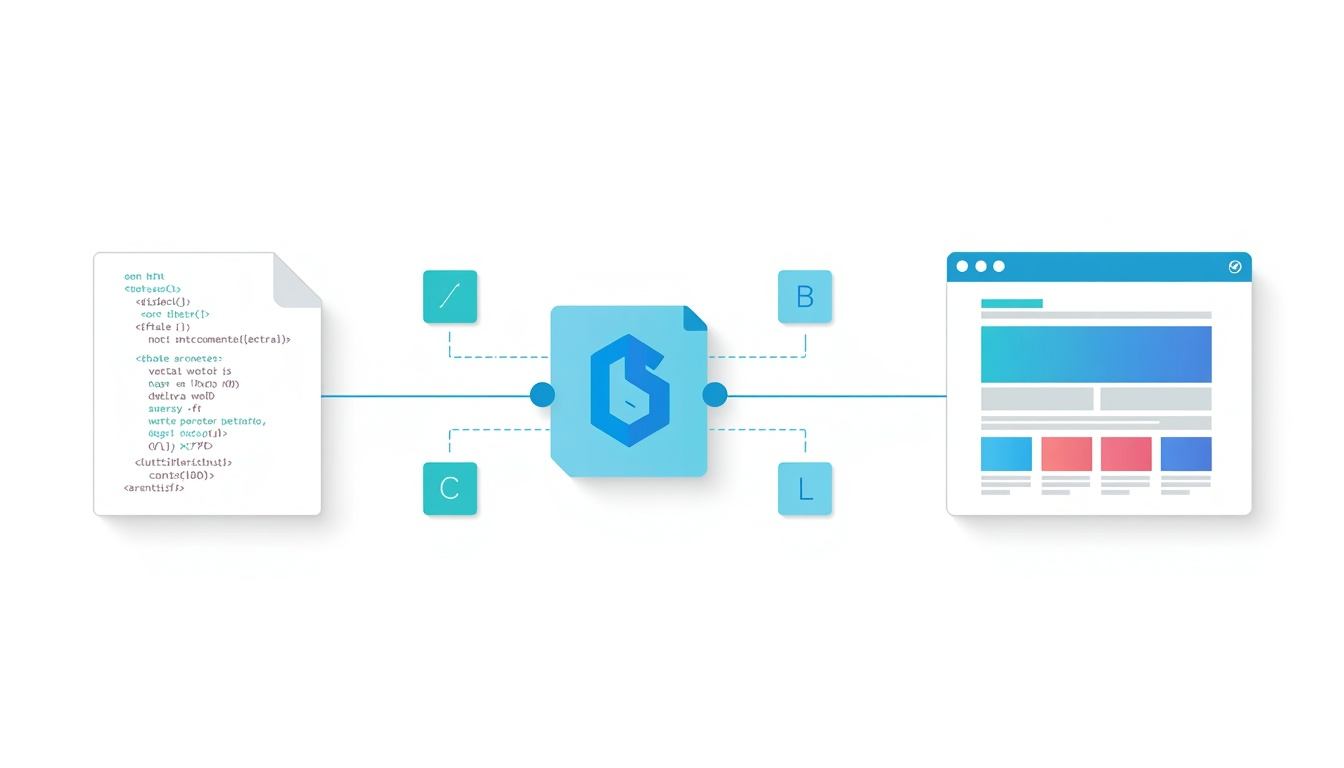
How browsers read HTML is the process that transforms lines of markup into the webpages we see and use every day. When a browser receives an HTML document, it parses the code, identifies its elements and builds a structured representation called the Document Object Model (DOM). From there, CSS determines how those elements should appear, while the browser calculates their size and position before drawing them on the screen. Understanding this process reveals what happens between requesting a webpage and seeing the finished result in your browser.
1. The Browser Receives the HTML Document
Before a browser can display anything, it needs something to work with. When you enter a web address or follow a link, the browser requests the appropriate resources from a web server.
The server sends back an HTML document containing the markup that describes the content and structure of the page. If HTML itself is unfamiliar, What Is Hypertext Markup Language? explains its role as the standard markup language of the web.
Reading the HTML Source
The browser does not see the HTML document as a finished webpage. It initially receives a stream of characters containing tags, attributes and text.
A typical document contains structural elements such as <html>, <head> and <body>, along with headings, paragraphs, links, images and other elements. Our guide to HTML Document Structure explains how these parts fit together.
The browser begins reading this markup and identifying the elements it contains. This is the start of the browser HTML parsing and rendering process.
2. HTML Parsing Creates the DOM
Reading the source is only the beginning. The browser needs to turn the markup into a structure it can work with.
This process is known as parsing.
From Tags to Tokens
As the browser encounters HTML markup, it recognises pieces of information such as opening tags, closing tags and text content. These are interpreted according to the rules of HTML.
For example, the browser understands that <p> begins a paragraph and </p> closes it. Different tags communicate different purposes, something explored further in HTML Tags Explained.
Modern HTML also includes elements whose names describe their structural purpose. <nav>, <main>, <article> and <footer> are examples. What Is Semantic HTML? looks more closely at why this meaning matters.
Building the Document Object Model
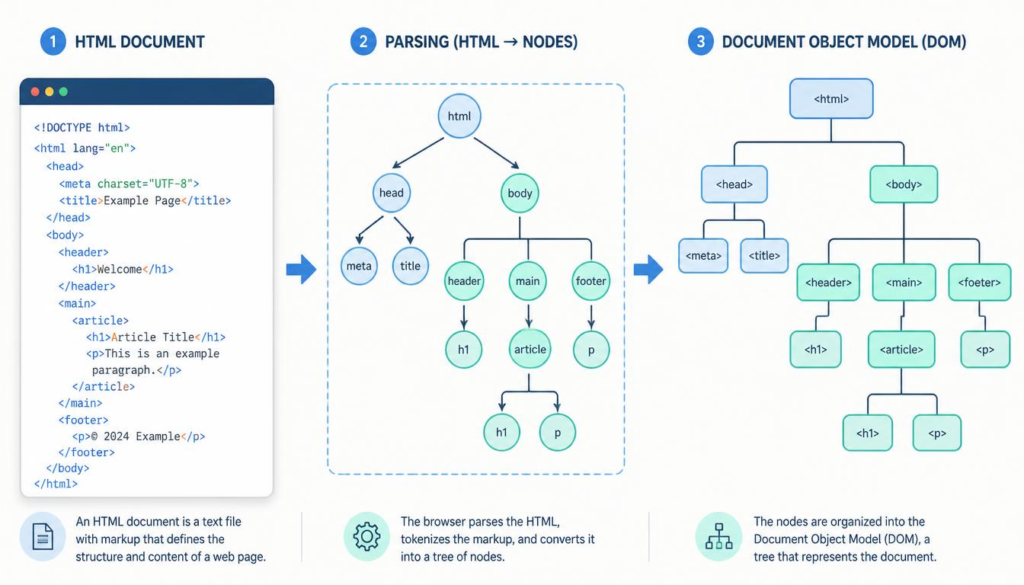
The parsed information is organised into the Document Object Model, usually shortened to DOM.
Rather than treating the document as one long sequence of HTML, the DOM represents it as a tree of connected objects. The <html> element sits near the top, with elements such as <head> and <body> branching beneath it. Their child elements form further branches.
This HTML parsing and DOM construction gives the browser a structured model of the document that scripts can also inspect and modify.
This helps explain an important distinction: HTML describes and structures content but is not itself a programming language. That difference is explored in Is HTML a Programming Language?.
3. CSS Helps Turn Structure into Appearance
At this stage, the browser understands what the HTML document contains, but it still needs to determine what everything should look like.
That is where CSS enters the process.
HTML and CSS Perform Different Jobs
HTML primarily describes the content and its structure. CSS provides styling instructions covering characteristics such as fonts, spacing, colours, borders and positioning.
The distinction is covered in more detail in CSS and HTML: What Is the Difference?.
The browser reads the CSS rules associated with the page and determines which rules apply to which HTML elements. It can then combine information about the document’s structure with information about its presentation.
This is a crucial part of how HTML is converted into a webpage rather than simply displayed as raw markup.
JavaScript Can Change the Page
JavaScript introduces another layer. Once the DOM exists, JavaScript can interact with it by adding, removing or modifying elements and responding to user actions.
That is why a webpage can change after its initial HTML has loaded. A menu might open, new information might appear or part of the page might update without loading an entirely new document.
The relationship between the two technologies is explained further in JavaScript and HTML.
4. The Browser Renders the Finished Page
The browser now knows what the page contains and how its elements should look. It can begin turning those instructions into pixels.
Calculating Layout
Before drawing the page, the browser calculates the size and position of visible elements.
It considers factors such as the dimensions of the browser window, CSS rules, margins, padding and the relationships between elements. Change the width of the window and some of these calculations may need to be performed again.
This is one reason modern webpages can adapt to desktop computers, tablets and smartphones.
Painting the Page
Once the layout has been calculated, the browser can paint the visible elements onto the screen. Text, backgrounds, borders, images and other visual features are drawn in the appropriate positions.
The result is the webpage we recognise.
The complete journey can therefore be simplified to:
HTML source → parsing → DOM → styling → layout → painting → webpage
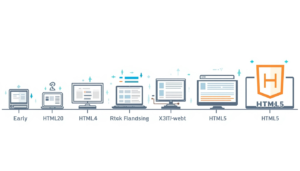
The underlying standards have developed considerably since the early web. The Evolution of HTML explains how HTML developed, while HTML5 Features explores capabilities introduced by modern HTML.
For another explanation of the general process, W3HTMLSchool’s guide to how browsers read HTML provides additional background.
Conclusion: From HTML Code to a Visible Webpage
Understanding how browsers read HTML removes some of the mystery from what happens after you enter a web address. The browser does much more than simply display an HTML file.
It parses the markup, constructs the DOM, applies styling information, calculates where elements belong and finally paints the result onto the screen. JavaScript can then interact with that structured document to make the page dynamic.
The browser interpretation of HTML documents is therefore a sequence of connected processes rather than a single action. Once you understand that journey, HTML becomes easier to see for what it really is: the structured foundation from which the browser builds the webpage you see.